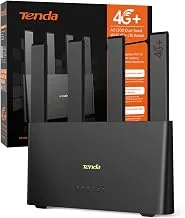
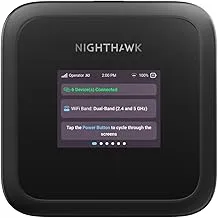
Start with coverage, then choose the hardware
A router brand cannot guarantee reception at a remote overnight stop. Your mobile network, the location, the device and its installation all affect the result. Before comparing a Huawei hotspot with a TP-Link router, decide what problem you are trying to solve: sharing one connection, working without draining your phone, adding wired devices or improving a particular installation.
This is a research-based selection guide, not a field test of either brand. The previous version made unsupported claims about rural reception and referred to an unclear TP-Link model name. Those claims have been removed. Product versions differ, so use the exact model number and regional specification when comparing equipment.
Check the places you actually visit
Ofcom's Map Your Mobile service compares local network coverage and performance. It is a useful starting point for checking your likely destinations, but the map is a prediction, not a guarantee of reception inside your van. Ofcom identifies terrain, nearby obstructions, congestion and the materials around the device as factors that can affect the connection.
Make a small list of the locations where connectivity matters most. If you need to work, include the places where you can realistically park during the working day. Assessing a whole county as “good coverage” tells you much less than checking the actual stop and trying your existing phone there.
When a mobile hotspot makes sense
A battery-powered hotspot can be convenient when you want to move the connection between the van, a tent or a room. It keeps the role of sharing data separate from your everyday phone. Check the exact unit's battery arrangement, charging connection, supported mobile bands, SIM requirements and maximum connected devices.
Do not buy solely on the headline number of devices supported. A dozen devices connected to Wi-Fi still share the available mobile connection. Your laptop may connect successfully while a video call remains unreliable because the backhaul connection is weak or congested.
Before replacing a working phone hotspot, test whether the current problem is data allowance, placement, power, Wi-Fi reach or mobile coverage. A separate hotspot may improve convenience without improving the network signal.
When a fixed router makes sense
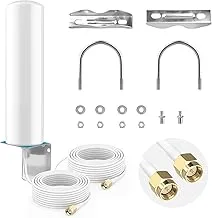
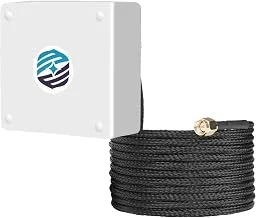
A router installed in a consistent location can suit a van where the same devices connect every day. Ethernet ports may be useful for equipment that benefits from a wired connection. External mobile-antenna connections may offer installation options, but only when the exact model supports them and the antennas, cables and connectors are compatible.
For example, TP-Link's Archer MR400 EU version 4.20 datasheet lists detachable external LTE antennas, Ethernet ports and a 12V/1A external power supply. Other versions can differ. The presence of a nominal 12V supply does not mean an arbitrary unregulated vehicle feed is suitable: follow the manufacturer's power requirements and use an appropriate installation.
Manufacturer example: TP-Link Archer MR400 EU v4.20 datasheet
Compare the complete setup
Write down the router model and hardware revision, supported networks, SIM size, power supply, mounting position and any proposed antenna hardware. Check whether it is network-locked and whether the data plan permits your intended use. Confirm roaming conditions separately if you plan to leave the UK.
Include cables and power equipment when comparing the cost. Check who provides firmware updates and whether you can obtain the correct manual for that hardware revision. A cheaper unit with unclear support can be harder to maintain than a device with current documentation.
Test before a trip depends on it
Try the setup with the applications you need, not just a speed-test number. Join a real video meeting, send a normal work file and check that your devices reconnect after power is interrupted. Perform the test in the intended location where possible.
Keep an offline copy of essential information and a backup plan for important work. Your final choice should follow your own tests, network coverage and installation needs rather than a universal claim that one brand wins everywhere.