Choose the network and operating arrangement before buying a faster-labelled router. A router cannot promise usable service at every stop, and the Wi-Fi rate printed on its box is not the mobile download speed you will experience.
The examples below illustrate three different approaches. They are a manufacturer-based comparison, not a road test or an endorsement of every current retailer listing.
Check likely coverage first
Use Ofcom's mobile coverage checker around the places where you intend to stay. Ofcom distinguishes local coverage predictions from broader performance information and explains that actual experience may differ.
For work-critical trips, allow a fallback: another verified connection, somewhere suitable to work or a plan that tolerates being offline. Check the mobile provider's current data, router-use and roaming terms before committing to a SIM.
Compare the three approaches
| Approach and example | Why consider it | Important limit |
|---|---|---|
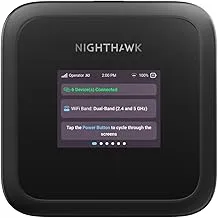
| Portable 4G hotspot: TP-Link M7350 | A separate, portable connection with an internal rechargeable battery | Check the exact hardware version, charger and real operating time for your use |
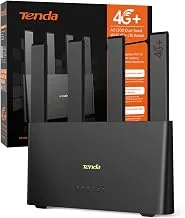
| Fixed 4G: TP-Link Archer MR400 | Useful to assess if you already own one and need a fixed setup | The UK V4.20 page is marked End of Life; check support before buying old stock |
| Fixed 5G: TP-Link Archer NX200 | An option to investigate where your network plan and locations can use 5G | Confirm availability, power provision and exact specifications; 5G is not a coverage guarantee |
The M7350 manufacturer page describes a battery-powered 4G hotspot. Its page includes differing connector descriptions between sections, so verify the actual version and manual before choosing charging accessories.
The MR400 page identifies the V4.20 model as End of Life. It remains an instructive comparison with equipment already fitted, rather than an unconditional new-purchase recommendation.
The NX200 specifications describe a 5G/4G router with a nano-SIM slot and Ethernet connections. Check the UK version and current support information rather than choosing on headline speed alone.
Plan power and placement
A supplied mains adapter with a stated DC output does not establish that a router can connect directly to a vehicle electrical system. Use a manufacturer-approved arrangement and obtain competent installation advice where needed.
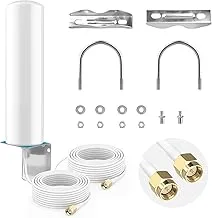
Decide where the unit can operate within its environmental limits and remain secured during travel. Check antenna compatibility before buying an external aerial; a connector that fits is not the only requirement.
Before you order
Confirm the hardware revision, support status, SIM compatibility, network terms, charging equipment and return conditions. Compare the whole setup cost, including the data plan, rather than the router alone.
For the earlier decision between using your phone and fitting separate equipment, read the hotspot or fixed router guide.
Sources reviewed on 25 October 2026. Speeds and availability were not measured or guaranteed.